Tuto signature for GMAIL
How to add Brachfeld signature to GMAIL
Preview of the signature :
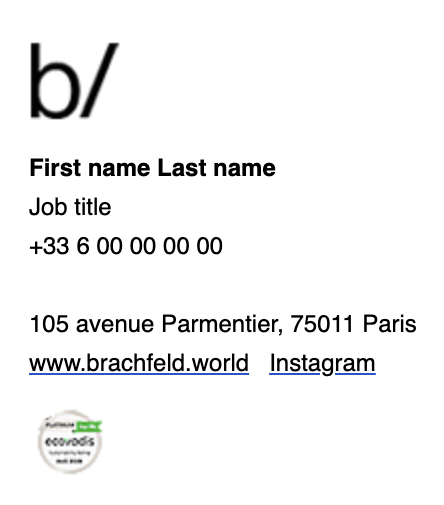
1️⃣ Open Gmail settings
1 - Go to https://mail.google.com and sign into your Gmail account.
2 - In the top right, click the ⚙️ gear icon and then click "See all settings."
3 - Under the “General” tab, scroll down until you find the "Signature" section.
2️⃣ Create a new Signature
1 - Click "Create new".
2 - Enter a name for your signature (e.g., "Brachfeld") and click OK.
3️⃣ Compose your Signature
1 - Press Enter key 2 times, to add line breaks
2 - Copy / Past this text :
First name Last name
Job title
+33 6 00 00 00 00
105 avenue Parmentier, 75011 Paris
www.brachfeld.world
Instagram
3 - Then, modify carefully with your personal info
🔹 Add Brachfeld logo + EcoVadis icon images
1 - Place your cursor where you want the image to appear (cf. preview at the top of this page).
2 - Click the Insert image icon (it looks like a small mountain in a box).
3 - Copy / Past image url :
https://files.brachfeld.world/files/logo_brachfeld.png for Brachfeld logo
https://files.brachfeld.world/files/ecovadis_platinum.png for EcoVadis icon
4 - Click "Insert an image" to confirm.
🔹 Add bold on text 【 if needed 】
Highlight text, click "B" to make it bold.
🔹 Add hyperlinks to text 【 if needed 】
1 - Highlight the text.
2 - Click the Link icon 🔗
3 - Copy / Paste Brachfeld website URL : https://www.brachfeld.world and click OK
4 - Repeat for the Instagram hyperlink, with Brachfeld instagram account url : https://www.instagram.com/brachfeld_/ and click OK
4️⃣ Assign Signature to emails
Under "Signature defaults", set
For new emails use → Select your new signature.
On reply/forward use → Select the same signature.
5️⃣ Save and test
1 - Scroll to the bottom of the Settings page and click "Save Changes."
2 - Compose a new email, your signature should appear automatically.
3 - Send an email test, then check that :
The images displays correctly
Bold and regular text are properly styled
Hyperlinks are clickable and lead to the correct destinations
Everything look like the preview